
This function plots a GeoPressureR map object.
You can plot on top of the map a path, this uses the plot_path() function.
Our maps are defined in lat-lon (i.e., EPSG:4326), but the display of maps on web map are
nearly always in web mercator (i.e.,
EPSG:3857). We therefore need to reproject our map for display.
However, we don't really want to interpolate the map as each pixel might be important to
visualize. We therefore re-project with a near-neighbour interpolation (method = "near"
in terra::project()). Yet to avoid having pixel misplaced, we generally need to use a
projection with a finer resolution. The argument fac_res_proj controls the relative change of
resolution between the original map to the projected map.
Usage
# S3 method for class 'map'
plot(
  x,
  path = NULL,
  thr_likelihood = 1,
  plot_leaflet = TRUE,
  provider = NULL,
  provider_options = leaflet::providerTileOptions(),
  palette = NULL,
  opacity = 0.8,
  legend = FALSE,
  fac_res_proj = 4,
  ...
)
Arguments
- x
a GeoPressureR
mapobject- path
a GeoPressureR
pathdata.frame- thr_likelihood
Threshold to display likelihood values.
- plot_leaflet
logical to use an interactive
leafletmap instead ofterra::plot- provider
optional tile provider name (see
leaflet::providers). WhenNULL, uses all available GeoPressureR basemap layers; see the Basemap API keys section.- provider_options
tile options. See leaflet::addProviderTiles() and leaflet::providerTileOptions().
- palette
color palette name or vector of colors.
- opacity
opacity of the raster layer in leaflet.
- legend
logical to display the legend.
- fac_res_proj
Factor of the resolution of the reprojection (see details above). A value of
1will roughly reproject on a map with similar size resulting in relatively high inaccuracy of the pixel displayed. Increasing this factor will reduce the uncertainty but might also increase the computational cost of the reprojection.- ...
additional parameters passed to
leaflet::addRasterImage()orterra::plot().
Basemap API keys
Interactive maps always offer Esri basemaps (gray canvas, imagery and topographic). CARTO, Mapbox and MapTiler basemaps are added to the layer control only when their API key is stored in your system keyring. Get a key from each provider:
CARTO: "Get your API key" on CARTO Basemaps.
Mapbox: Access tokens page of your account (see Mapbox documentation).
MapTiler: API keys page of your MapTiler Cloud account (see MapTiler documentation).
Then store each key once:
keyring::key_set_with_value("CARTO_API_KEY", password = "<your CARTO API key>")
keyring::key_set_with_value("MAPBOX_ACCESS_TOKEN", password = "<your Mapbox token>")
keyring::key_set_with_value("MAPTILER_API_KEY", password = "<your MapTiler API key>")
Mapbox access tokens are visible in the browser when a map is rendered. Use a public, read-only token rather than a secret token.
Examples
withr::with_dir(system.file("extdata", package = "GeoPressureR"), {
tag <- tag_create("18LX", quiet = TRUE) |>
tag_label(quiet = TRUE) |>
tag_set_map(
extent = c(-16, 23, 0, 50),
scale = 4
) |>
geopressure_map(quiet = TRUE)
})
plot(tag$map_pressure)
plot(tag$map_pressure, plot_leaflet = FALSE)
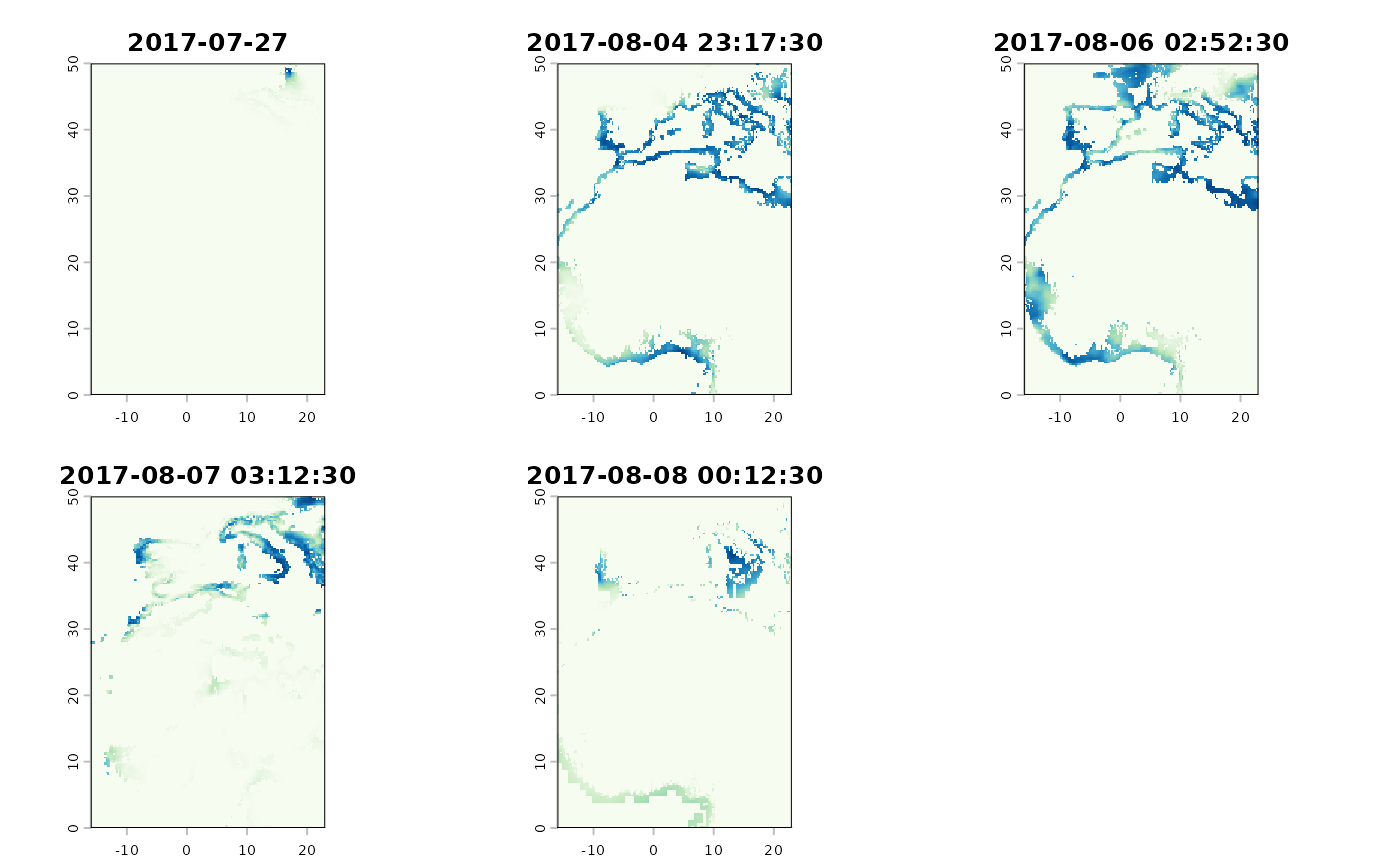 # `thr_likelihood` can be used to visualize its effect in `graph_create`
plot(tag$map_pressure,
thr_likelihood = 0.9,
palette = "viridis",
opacity = 1,
provider = "Esri.WorldGrayCanvas"
)
# `thr_likelihood` can be used to visualize its effect in `graph_create`
plot(tag$map_pressure,
thr_likelihood = 0.9,
palette = "viridis",
opacity = 1,
provider = "Esri.WorldGrayCanvas"
)