GeoLocator DP
Data exchange format for geolocator data
GeoLocator Data Package (GeoLocator DP) defines a data exchange format for geolocator data. By using a common structure across projects, GeoLocator DP makes data easier to share, compare, and reuse, ultimately supporting bird migration research, conservation, and public outreach.
Ready to publish your GeoLocator Data Package? Follow the step-by-step practical guide in the GeoLocator Data Package chapter of the GeoPressureManual to create, curate, and share your package with confidence.
Data Package Structure
A GeoLocator Data Package follows the more general Data Package and is organized into three components: (1) the core resources containing raw geolocator data, (2) optional but highly recommended trajectory resources generated with GeoPressureR, and (3) a minimal local manifest.
1. Core Resources
The core GeoLocator DP resources consist of raw geolocator data and deployment information. These resources can be generated without running trajectory analyses.
| File | Description |
|---|---|
tags.csv |
Table of devices used in the study. We assume that a tag is only used once on a single animal. |
measurements.csv |
Table with the raw measurements of all sensors (e.g., light, pressure, …) for all tags. |
observations.csv |
Table with the field observations associated with tags such as equipment, retrieval, or other events. |
2. GeoPressureR Resources
The GeoPressureR extension consists of optional trajectory data generated through the GeoPressureR workflow analysis.
| File | Description |
|---|---|
staps.csv |
Table of the stationary periods of all tags. |
paths.csv |
Table of the trajectory of all tags, typically most likely path or simulation paths. |
edges.csv |
Table containing the flight information of the edges associated with the paths. |
twilights.csv |
Table of the twilights estimated from light data for all tags. |
pressurepaths.csv |
Table of pressure-based paths. |
params.json |
List of parameters used to run the GeoPressureR workflow. |
3. Local Manifest
Following the Data Package standard, each GeoLocator DP contains a datapackage.json file with: (1) a machine-readable index of all data resources, (2) a package-level $schema pointing to the GeoLocator DP profile version. Unlike previous versions, in the v1.0, the local manifest stays intentionally minimal, while metadata are managed in Zenodo.
How to contribute?
If you have multi-sensor geolocator data and would like to contribute a GeoLocator Data Package, follow the workflow below.
create_geopressuretemplate(): Set up your local GeoPressureTemplate project folder [guide].geopressuretemplate(): Run trajectory analyses in your GeoPressureTemplate project [guide].read_geopressuretemplate(): Build your GeoLocator Data Package from the template outputs [guide].- Draft the record on
Zenodowith metadata, reserve the DOI, and select the GeoLocator-DP community (without publishing yet) [guide]. validate_gldp()andGeoLocatoR::plot(): Validate the package and resolve issues until all checks pass [guide].- Submit for curation and publish the record [guide].
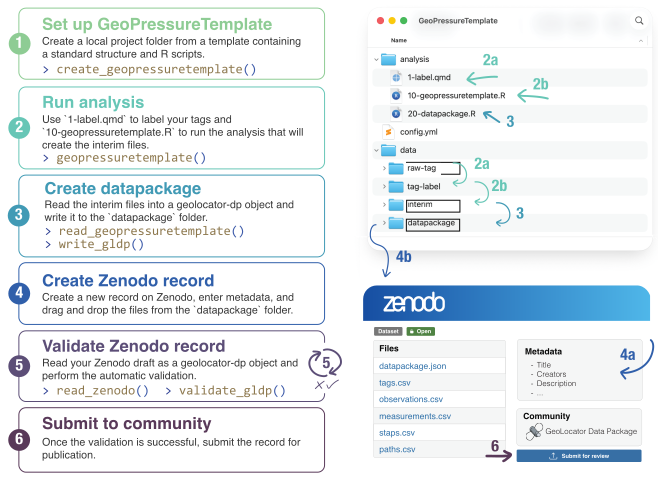
Why using Zenodo?
- long-term hosting, DOI assignment, and versioned records,
- a simple and reliable way to manage metadata through web forms,
- community curation through the GeoLocator DP Zenodo community.
For the metadata checklist, validation policy, and visual quality checks before release, see the Curation page.
Resources
|
The GeoLocatoR R package is designed to handle GeoLocator DP: creating a DP, adding resources, writing a DP, and reading a DP. It is essentially an extension of the frictionless package for geolocator data. |
|
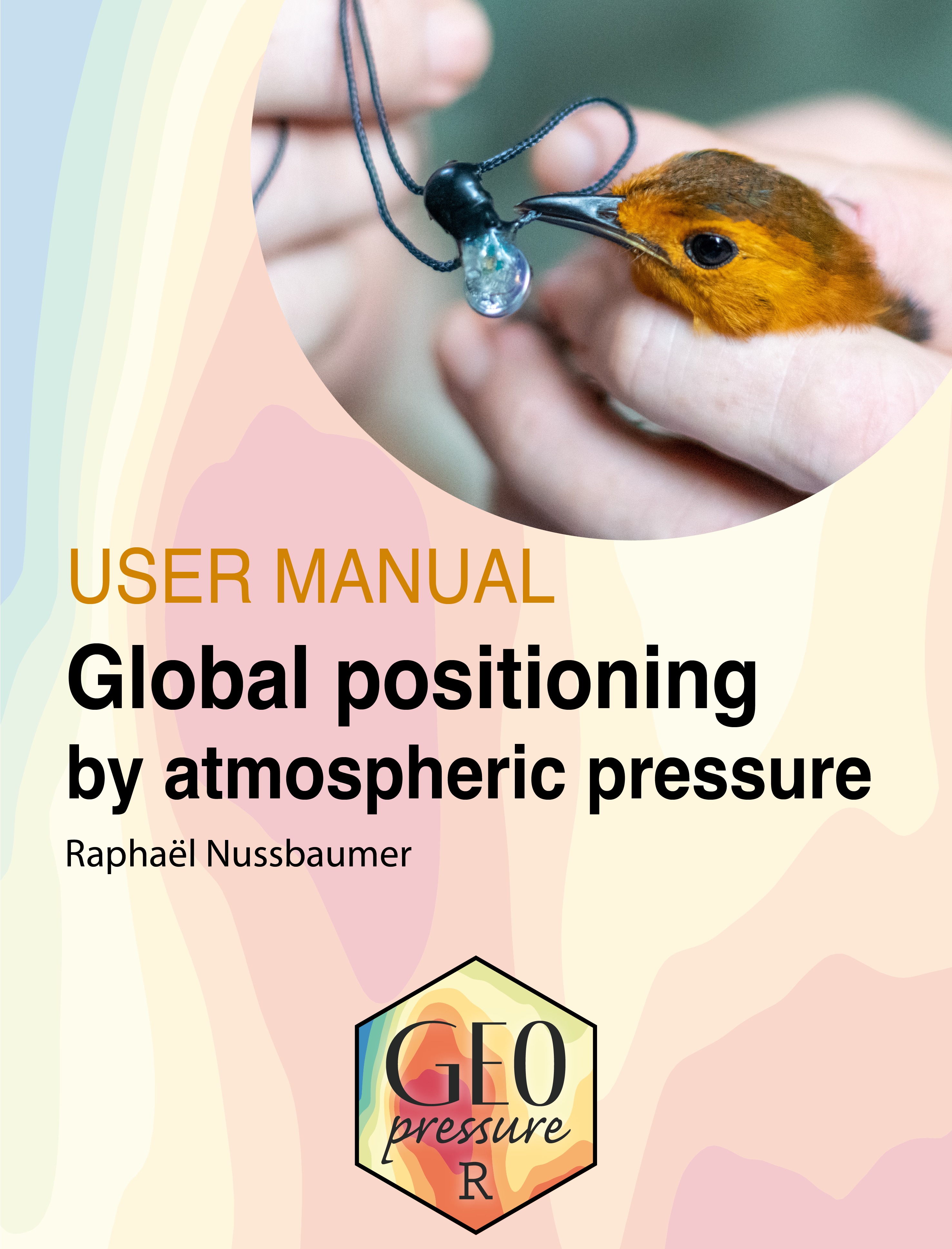
The Geolocator Manual R book has a dedicated part on the use of the GeoLocator Data Package. This is a great place to start learning more about how to use it with your GeoPressureTemplate project. |
 |
GeoPressureR is the main package to analyze geolocator data. Once a GeoLocator Data Package is created, GeoPressureR is our recommended software to read the data into R and analyze the data. |
|
You'll be able to find all GeoLocator Data Packages in the GeoLocator Data Package Zenodo Community. Once you've published your data package, make sure to submit it to the community. |

|
Explore the most likely trajectories of all existing data packages on a 3D map with GeoLocatorExplorer. |
How to Cite
Nussbaumer, R., Desmet, P. & Geolocator Development Team (2024). GeoLocator Data Package. Zenodo. https://doi.org/10.5281/zenodo.14258411